M-Pesa Till Number: How to Get One for Your Business
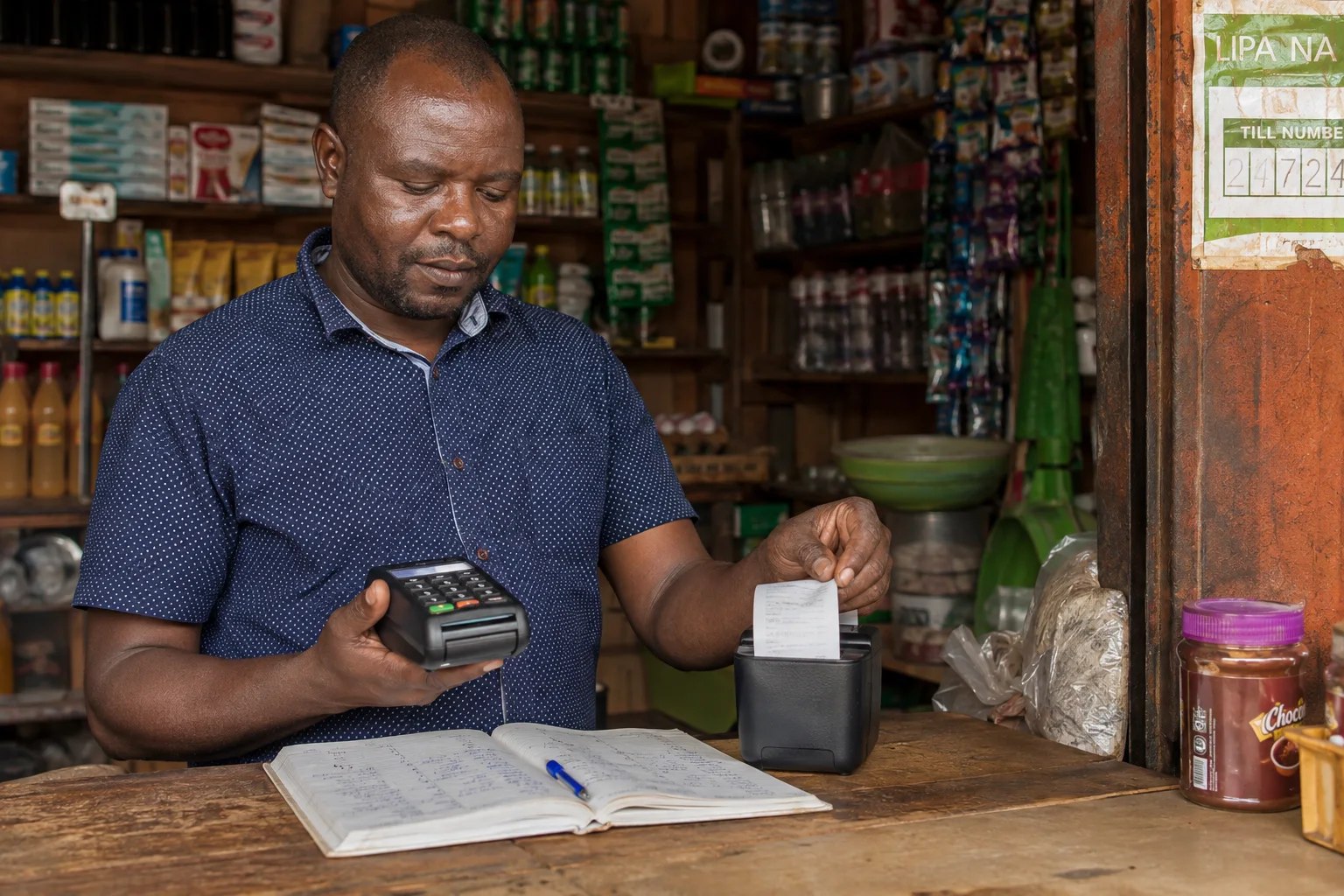
A Business Till lets customers pay your business through M-PESA Buy Goods. Businesses of different sizes can use a Till or PayBill; the useful distinction is how customers identify the payment. A Till payment uses the displayed Till number and amount, while a PayBill can use an account reference when the business needs one. Compare current setup, fees and payment-management features before choosing.
1. What Is a Till Number?
A Till Number is a unique 5–7 digit number assigned to your business by Safaricom. Customers send money to this number, and the funds go directly into your M-Pesa business account. You can then withdraw or transfer the money like regular M-Pesa.
For merchant activation and account access, Safaricom’s Business Hub directs the nominated phone number to *234*2#. Follow its current activation instructions. This is a merchant menu; customers use the Buy Goods route above.
2. How to Apply
Apply for a Business Till through Safaricom's M-PESA for Business portal. Select the business type and provide the documents requested. Processing time varies; confirm current requirements and timing with Safaricom. Activation of an issued Till is a separate step; follow the instructions Safaricom sends you.
3. Requirements
Requirements depend on the business type. Use the official application portal to see which documents to provide.
4. Fees (checked 26 October 2026)
- Registration: Free (KES 0)
- Safaricom Business Hub tariff: When checked on 26 October 2026, its Buy Goods guidance listed collections of KES 200 and below as free, with a merchant charge up to 0.55%, capped at KES 200.
- Reported Pata More change: In an August 2026 post, Safaricom executive Boniface Mungania said Lipa na M-PESA Buy Goods transactions below KES 500 are free; Kenya News Agency reported on 9 August that the Kadogo threshold rose from KES 200 to KES 500. People Daily and Tech-ish reported an August schedule of KES 501–36,363 at 0.55% and a KES 200 cap above that. Safaricom publishes the KES 500 Buy Goods Kadogo threshold on its Pata More Business Till page. However, because older Business Hub pages list KES 200, confirm the active tariff for your Till before relying on it.
- Monthly rental: Confirm whether any rental applies to your account or package with Safaricom; I found no current official universal rental figure.
- Withdrawal fee: Standard M-Pesa withdrawal rates apply
5. Till Number vs PayBill
Till: Customers pay using the displayed business number and amount. It can suit a checkout that does not need a separate account reference.
PayBill: Customers can enter an account reference when the organization uses one to identify a payer or payment. Safaricom describes PayBill as a collection service for organizations; it is not limited to large businesses. References can support matching, while automated reconciliation depends on the organization’s process and any integration it uses.
6. Tips for Maximizing M-Pesa Revenue
- Display your Till Number prominently at your business premises and on your social media
- Encourage customers to use M-Pesa for contactless payments
- Train staff to process M-Pesa payments correctly (check confirmation SMS)
- Review M-PESA Business statements regularly and match payments to your own sales records
- Ask Safaricom whether an additional Till or store setup fits your business; the right setup depends on your operations and current product terms
7. Troubleshooting Common Issues
Customer says payment failed: Check your network connection and ask them to try again. Always confirm the till number before payment.
Money not reflecting: Check the transaction status and your M-PESA Business statement or Hub records. If the payment is still missing, contact Safaricom support with the transaction details; timing and resolution depend on the case.
Lost phone/SIM: Contact Safaricom immediately to lock your line and till. Have a backup phone registered for till management.
8. Frequently Asked Questions
What is a till number?
A Lipa na M-Pesa till number is the merchant collection number customers use to pay your business via M-Pesa.
How do I apply for a till number?
Apply through Safaricom's M-PESA for Business portal. Requirements depend on the business type; confirm current documents and timing with Safaricom.
What are the fees for till payments?
When checked on 26 October 2026, Safaricom Business Hub listed collections of KES 200 and below as free, with a merchant charge up to 0.55% capped at KES 200. A Safaricom executive’s August post said Buy Goods transactions below KES 500 are free, and Kenya News Agency reported the threshold increase to KES 500 on 9 August. These sources differ; Safaricom has not published a Buy Goods expiry date in the sources we found. Check the current tariff on your Till.
Till or PayBill — which should I use?
The "Till Number vs PayBill" section compares them so you can choose based on how you collect payments.
How does a customer pay a Till Number?
From the M-PESA SIM Toolkit, select Lipa na M-PESA → Buy Goods. Enter the Till Number displayed by the seller, the amount, and your M-PESA PIN. You do not need access to the seller’s merchant tools. Alternatively, dial *334# and choose Lipa na M-PESA → Buy Goods, or use the M-PESA app.
Sources and update record
Tariff sources checked: 26 October 2026
Provider and date note: Rates, limits, fees, availability and product terms can change by provider, product and date. Treat figures here as guidance, check the dated first-party source above, and confirm the current schedule before acting.
Source provenance: Safaricom Business Hub (checked 26 October 2026) lists collections of KES 200 and below as free and merchant charges up to 0.55%, capped at KES 200. Safaricom executive Boniface Mungania’s August 2026 LinkedIn post says Buy Goods transactions below KES 500 are free, and Kenya News Agency reported the threshold increase on 9 August. People Daily and Tech-ish separately reported the August fee bands. Safaricom publishes the KES 500 Kadogo threshold on its Pata More Business Till portal, while older Hub pages list KES 200; confirm the active schedule for your specific Till.
- safaricom.co.ke
- KRA — Kenya Revenue Authority
- KRA — iTax
- Central Bank of Kenya
- Kenya Gazette
- Safaricom — paying businesses and online
- August 2026 tariff notice reproduction hosted by People Daily
- People Daily — August 2026 tariff report
- Tech-ish — analysis of the August 2026 change
- Boniface Mungania, Safaricom — August 2026 Pata More statement
- Kenya News Agency — Pata More launch, 9 August 2026
- Safaricom — Business Hub — current M-PESA Till tariff
- Safaricom — Buy Goods tariff guide
- Safaricom — PayBill Standard Tariff guide
Stay updated
 Stay updated
Get the next guide in your inbox.