M-Pesa PayBill vs Till Number: Which One for Your Business?
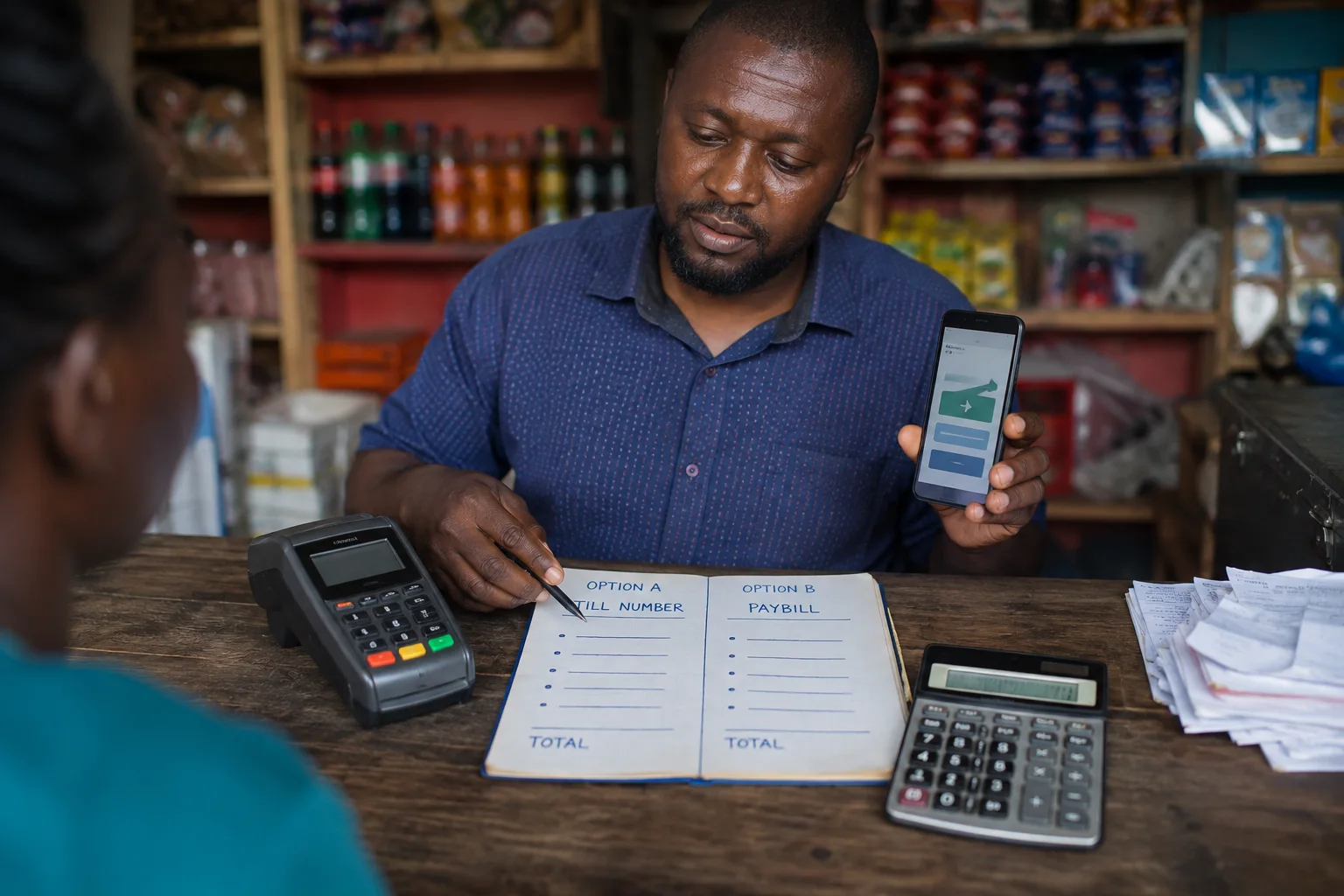
If you run a business in Kenya, M-Pesa payments are non-negotiable. But choosing between a Till Number and a PayBill Number can be confusing — especially when both seem to do the same thing: receive money from customers.
They offer different ways to collect M-PESA payments. A Till lets a customer pay using the displayed business number and amount. PayBill can use an account reference to identify a payer or payment. Neither is reserved for a particular business size; whether records reconcile automatically depends on the business process and any integration used.
This guide breaks down the differences, the costs, the setup process, and helps you decide which option — or combination — is right for your business.
1. What is a Till Number?
A Business Till Number is a 6-digit number (usually starting with 4 or 5) that allows customers to pay you directly via M-Pesa. It functions like a digital cash register for face-to-face transactions.
Key features of Till Numbers:
- Format: 6 digits, starting with 4 or 5 (e.g., 523456)
- Customer payment: Use the M-PESA SIM Toolkit → Lipa na M-PESA → Buy Goods; enter the Till displayed by the seller, the amount, and your PIN. Alternatively use *334# → Lipa na M-PESA → Buy Goods or the M-PESA app.
- Transaction fee: Safaricom Business Hub, checked 26 October 2026, lists collections of KES 200 and below as free, with merchant charges up to 0.55% capped at KES 200. August 2026 Pata More reporting and a Safaricom executive’s post say Buy Goods payments below KES 500 are free; the schedules differ, so confirm your current Till tariff with Safaricom.
- Application: Apply through Safaricom's M-PESA for Business portal. Requirements depend on the business type; provide the documents requested and confirm current timing with Safaricom.
- Customer enters: Only the Till Number — the exact amount of goods or services
- Records: Review payment notifications and M-PESA Business statements against your own sales records.
- Withdrawal: Transfer funds to your M-Pesa wallet and withdraw at any agent
- Business Till limits: Safaricom Business Hub lists KES 150,000 per transaction and KES 300,000 per day; confirm the limits applying to your account.
For merchant activation and account access, Safaricom’s Business Hub directs the nominated phone number to *234*2#. Follow its current activation instructions. This is a merchant menu; customers use the Buy Goods route above.
2. What is a PayBill Number?
A PayBill Number is a business number used to collect M-PESA payments. Safaricom describes PayBill as a collection service for organizations; a business may use an account reference to identify a payer or payment. That reference can support matching, but automatic reconciliation depends on the organization’s process and any integration it uses.
Key features of PayBill Numbers:
- Format: 5 to 7 digits (e.g., 247247)
- Customer payment: Via M-Pesa — select "PayBill" and enter both the business number AND an account number
- Transaction fee: Depends on the Safaricom PayBill tariff selected: Business Bouquet, Customer Bouquet or Mgao, which determines whether the business, customer or both pay the charges.
- Registration: Requires a formal application to Safaricom with business documents
- Processing time: Safaricom’s current Business Hub FAQ says processing is within 24 hours after successful submission; check the portal for current requirements and status.
- Application fee: KSh 0 (free), but requires business registration documents and KRA PIN
- Payment references: An account number can help identify a payer or payment when the business uses one.
- Integration: Check Safaricom’s API documentation and your chosen integration to confirm available website or accounting-system features.
- Withdrawal: The nominated number can withdraw PayBill funds to the bank account provided during application; this is an initiated withdrawal, not an automatic settlement.
3. Key Differences
Here is a side-by-side comparison to help you understand the differences at a glance:
| Feature | Till Number | PayBill Number |
|---|---|---|
| Number format | 6 digits (starts with 4 or 5) | 5–7 digits |
| How it works | Customer pays the business directly | Customer pays to an account number |
| Customer enters | Just the Till Number | PayBill number + account number |
| Registration time | Apply through Safaricom's Business Hub; confirm current timing | 1–5 working days via Safaricom |
| Registration cost | Free | Free |
| Transaction fee | Hub tariff checked 26 Oct 2026: ≤KES 200 free; merchant charge up to 0.55%, capped at KES 200. August 2026 Pata More sources say below KES 500 free; confirm current Till tariff. | Depends on selected tariff |
| Reconciliation | SMS notification per payment | Account references can support matching; automation depends on the business process and integration |
| Ideal for | Walk-in, face-to-face payments | Online, recurring, high-volume payments |
| Integration | Limited | Integration features depend on the API and implementation |
| Withdrawal | To M-Pesa wallet | Withdraw to the bank account registered with Safaricom |
| Daily limit | Business Till: KES 150,000 per transaction / KES 300,000 daily per Safaricom Business Hub | Higher limits (negotiable) |
Tariff note: Safaricom publishes the KES 500 Buy Goods Kadogo threshold on its Pata More Business Till page, with a merchant charge of up to 0.55% capped at KES 200 above KES 500. Older Business Hub pages list KES 200. Confirm the active tariff on your Till with Safaricom before relying on it.
4. Which One Should You Choose?
The right choice depends on your business model:
| Business Type | Recommended | Why |
|---|---|---|
| Retail shop, supermarket, kiosk | Till Number | Fast walk-in payments without needing an account number |
| Restaurant, café, hotel | Till Number | Quick customer payments at the counter or table |
| Salon, barbershop, spa | Till Number | Simple one-step payment for services |
| E-commerce website | PayBill Number | Can use account references; automated matching depends on implementation |
| School, college, church | PayBill Number | Recurring fee payments with student/member account numbers |
| Utility or service company | PayBill Number | Customer references can help identify and match payments |
| Business with both physical and online presence | Both | Till for walk-ins, PayBill for online/recurring |
5. Can You Use Both?
Yes. A business may use both where each serves a distinct payment need, such as Till for in-person sales and PayBill for payments that need an account reference. Choose based on how your customers pay and the fees and reconciliation features in the current Safaricom terms.
Here is a typical arrangement:
- Till Number for walk-in customers at your shop or restaurant — fast, simple, no account number needed
- PayBill Number for online orders, recurring subscriptions, school fees, or payments that need an account reference; automated matching depends on your integration and process
Having both gives your customers the flexibility to pay however is most convenient for them, while giving you better financial management and reconciliation across different sales channels.
6. How to Set Up Each
Setting Up a Till Number
Apply for a Business Till through Safaricom's M-PESA for Business portal. Select the business type and provide the documents requested. Safaricom processes the application; confirm current requirements and timing with Safaricom.
Setting Up a PayBill Number
Apply for a PayBill through Safaricom’s Business Hub. The portal shows the documents for each business category; submit the application there and track its status online.
- Select the PayBill product and business category in Safaricom Business Hub, submit the documents requested for that category, and track application status in the portal. For integration, confirm available APIs and features with Safaricom and your provider.
Safaricom says the nominated PayBill number can withdraw funds to the bank account provided during application. Initiate withdrawals and confirm the applicable process with Safaricom.
7. Frequently Asked Questions
Can I use both a PayBill and a Till Number for my business?
You can use both if each meets a distinct need and the fees, setup and reconciliation work for your business. For example, a Till may suit in-person sales while a PayBill may suit payments that need account references; confirm current Safaricom terms before adding either.
What is the transaction fee for Till Numbers vs PayBill Numbers?
Safaricom Business Hub, checked 26 October 2026, lists Till collections of KES 200 and below as free, with merchant charges up to 0.55% capped at KES 200. A Safaricom executive’s August 2026 post says Buy Goods payments below KES 500 are free, and Kenya News Agency reported the threshold increase on 9 August. These schedules differ; check your current Till tariff with Safaricom. For PayBill, Safaricom offers Business Bouquet, Customer Bouquet and Mgao tariffs; the selected tariff determines who pays.
How long does it take to get a PayBill Number?
Safaricom Business Hub says a PayBill application is processed within 24 hours after successful submission. Apply through the portal and check the current category-specific document requirements and application status there. Till applications use the same portal; confirm current requirements and timing with Safaricom.
Which is better for an e-commerce website — PayBill or Till?
A PayBill may suit an e-commerce checkout that needs a customer or order reference. Whether payments are matched automatically depends on your payment integration and reconciliation process; check Safaricom’s current product and API terms before choosing.
How does a customer pay a Till Number?
From the M-PESA SIM Toolkit, select Lipa na M-PESA → Buy Goods. Enter the Till Number displayed by the seller, the amount, and your M-PESA PIN. You do not need access to the seller’s merchant tools. Alternatively, dial *334# and choose Lipa na M-PESA → Buy Goods, or use the M-PESA app.
Sources and update record
Updated 26 October 2026: Removed unsupported popularity claims and qualified when using both payment options helps.
Tariff sources checked: 26 October 2026
Provider and date note: Rates, limits, fees, availability and product terms can change by provider, product and date. Treat figures here as guidance, check the dated first-party source above, and confirm the current schedule before acting.
Source provenance: Safaricom Business Hub (checked 26 October 2026) lists collections of KES 200 and below as free and merchant charges up to 0.55%, capped at KES 200. Safaricom executive Boniface Mungania’s August 2026 LinkedIn post says Buy Goods transactions below KES 500 are free, and Kenya News Agency reported the threshold increase on 9 August. People Daily and Tech-ish separately reported the August fee bands. We found no primary notice specifying an expiry date or resolving the difference with the Hub tariff; confirm the schedule applying to your Till with Safaricom.
- Safaricom Business
- Safaricom — paying businesses and online
- August 2026 tariff notice reproduction hosted by People Daily
- People Daily — August 2026 tariff report
- Tech-ish — analysis of the August 2026 change
- Boniface Mungania, Safaricom — August 2026 Pata More statement
- Kenya News Agency — Pata More launch, 9 August 2026
- Safaricom — Business Hub — current M-PESA Till tariff
- Safaricom — Buy Goods tariff guide
- Safaricom — PayBill Standard Tariff guide
Stay updated
 Stay updated
Get the next guide in your inbox.